Smart Tags are dynamic, rule-based color chips that appear directly on each Opportunity card inside a pipeline. Powered by a conditional builder, they evaluate every Opportunity in real time and automatically apply a colored label whenever a record meets your criteria, such as new inquiries, overdue follow-ups, prospective clients who haven’t scheduled, or clients who need attention. This gives you an at-a-glance visual layer instead of manual filters or scanning.
- Immediate prioritization — high-impact deals jump off the screen
- Less context-switching — no need to open each card or apply multiple filters
- Consistent team focus — everyone sees the same color cues, driving aligned action
- Custom to every workflow — build any combination of AND/OR conditions across Standard or Custom Opportunity fields
- Each pipeline supports up to 60 active Smart Tags
- Duplicate tags in the same pipeline (same color + rule) are blocked automatically
- Tags update automatically as deal data changes — no manual refresh required
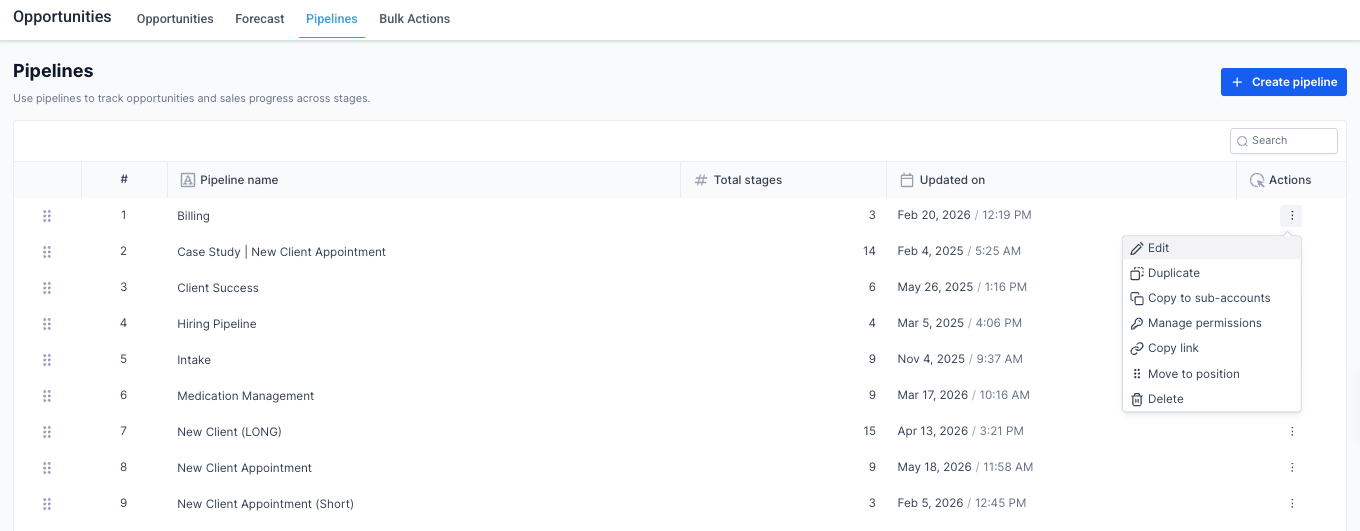
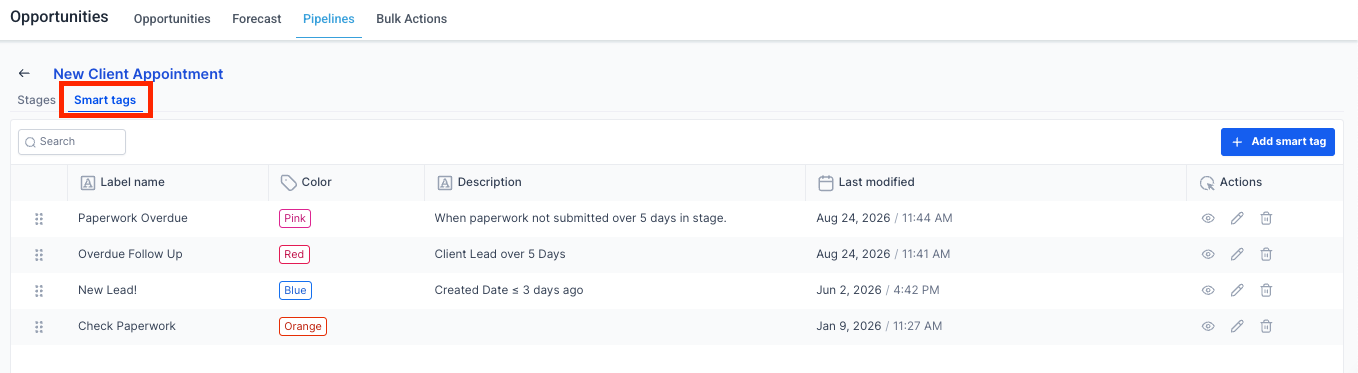
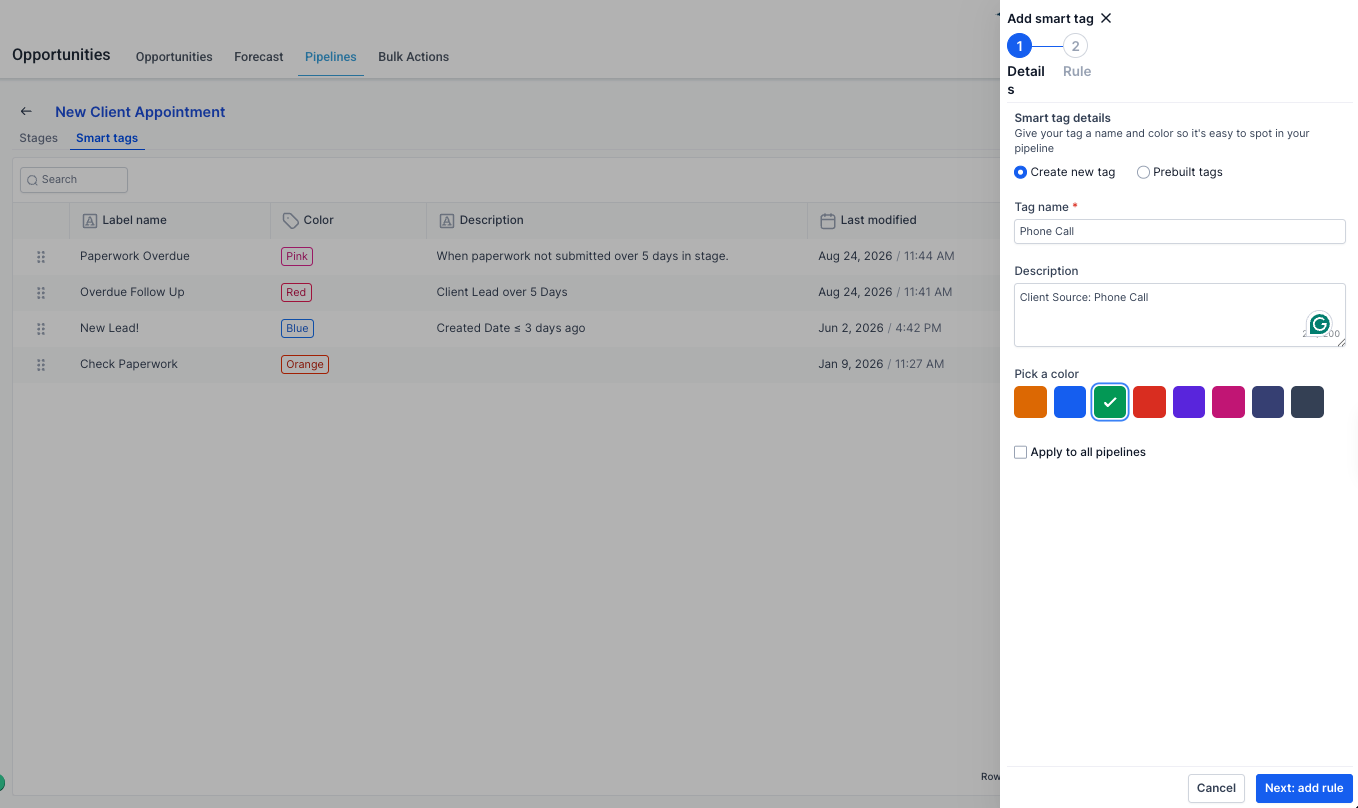
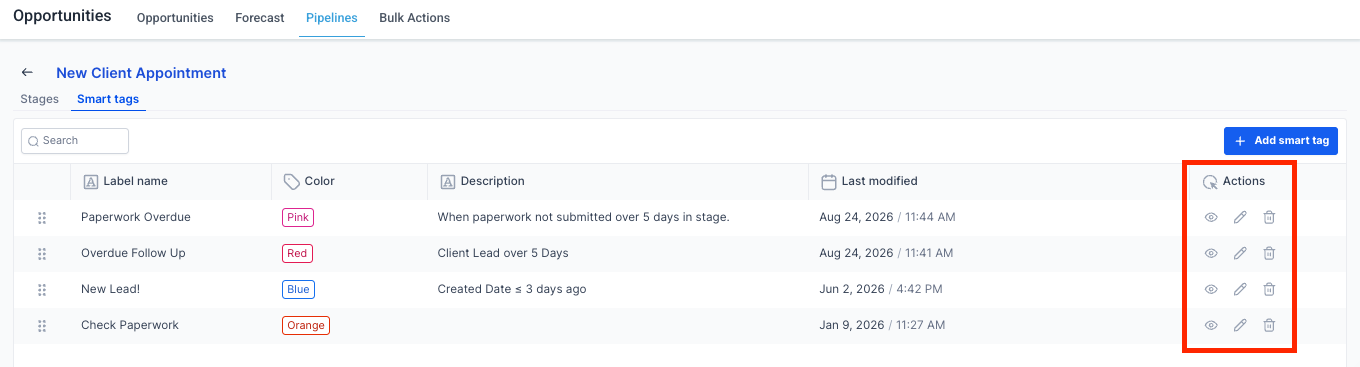
Once a tag is created, you can preview, edit, or delete it directly from the Smart Tags page at any time.
- Use distinct colors for your top priorities (e.g., red for urgent, green for high-value)
- Keep tag names short — under 20 characters
- Review rules regularly to ensure they're still relevant
Smart Tags not visible on cards?
Make sure Smart Tags are added to your card layout (via Customize Card), check that the rule conditions match the cards you're viewing, and do a hard refresh to sync changes on the pipeline.
Missing the Smart Tags tab?
Only Admins can access tag creation and editing.
Was this article helpful?
That’s Great!
Thank you for your feedback
Sorry! We couldn't be helpful
Thank you for your feedback
Feedback sent
We appreciate your effort and will try to fix the article