Device & Phone Numbers Configuration
This guide covers two key areas: updating your device microphone settings for clear in-browser calls, and configuring your TheraSaaS phone numbers for optimal call routing, lead handling, and automation. For best results, use Google Chrome as your browser.
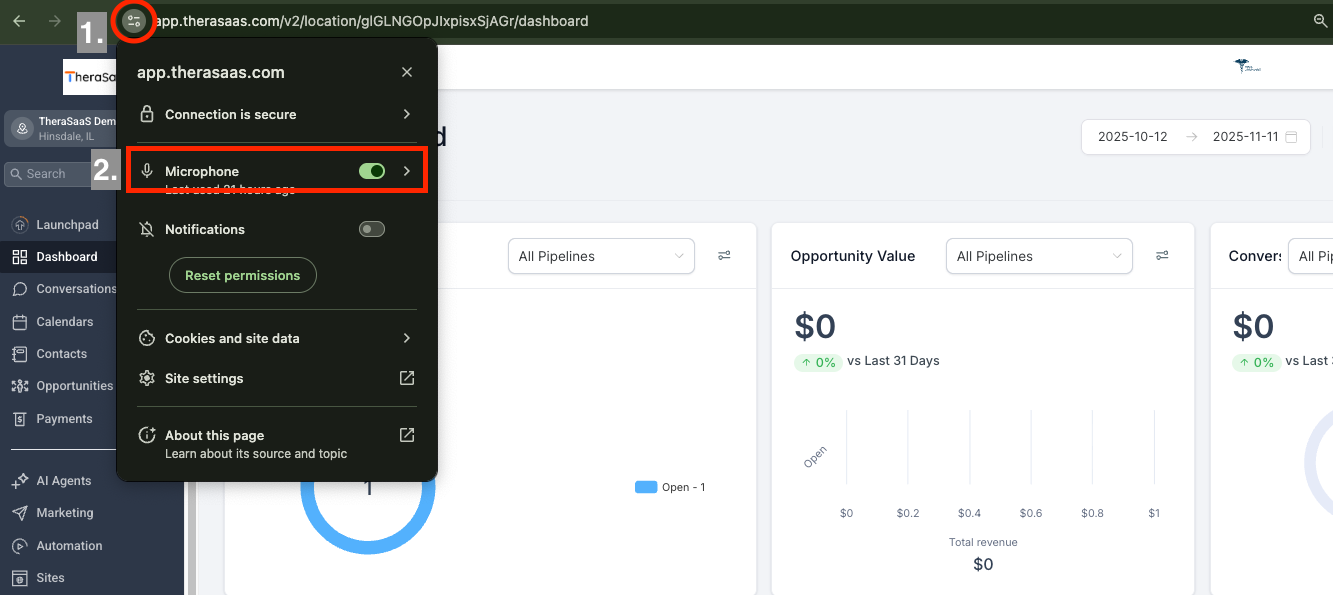
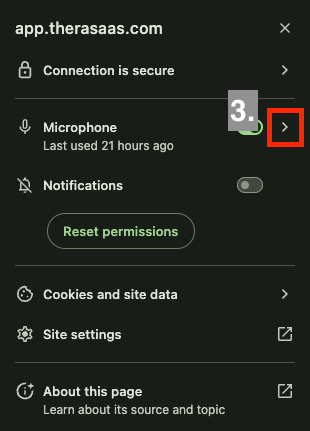
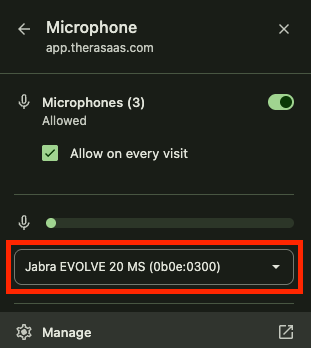
Proper phone number configuration ensures accurate call routing, lead handling, and automation across your account. Below is a summary of all available options, followed by step-by-step setup instructions.
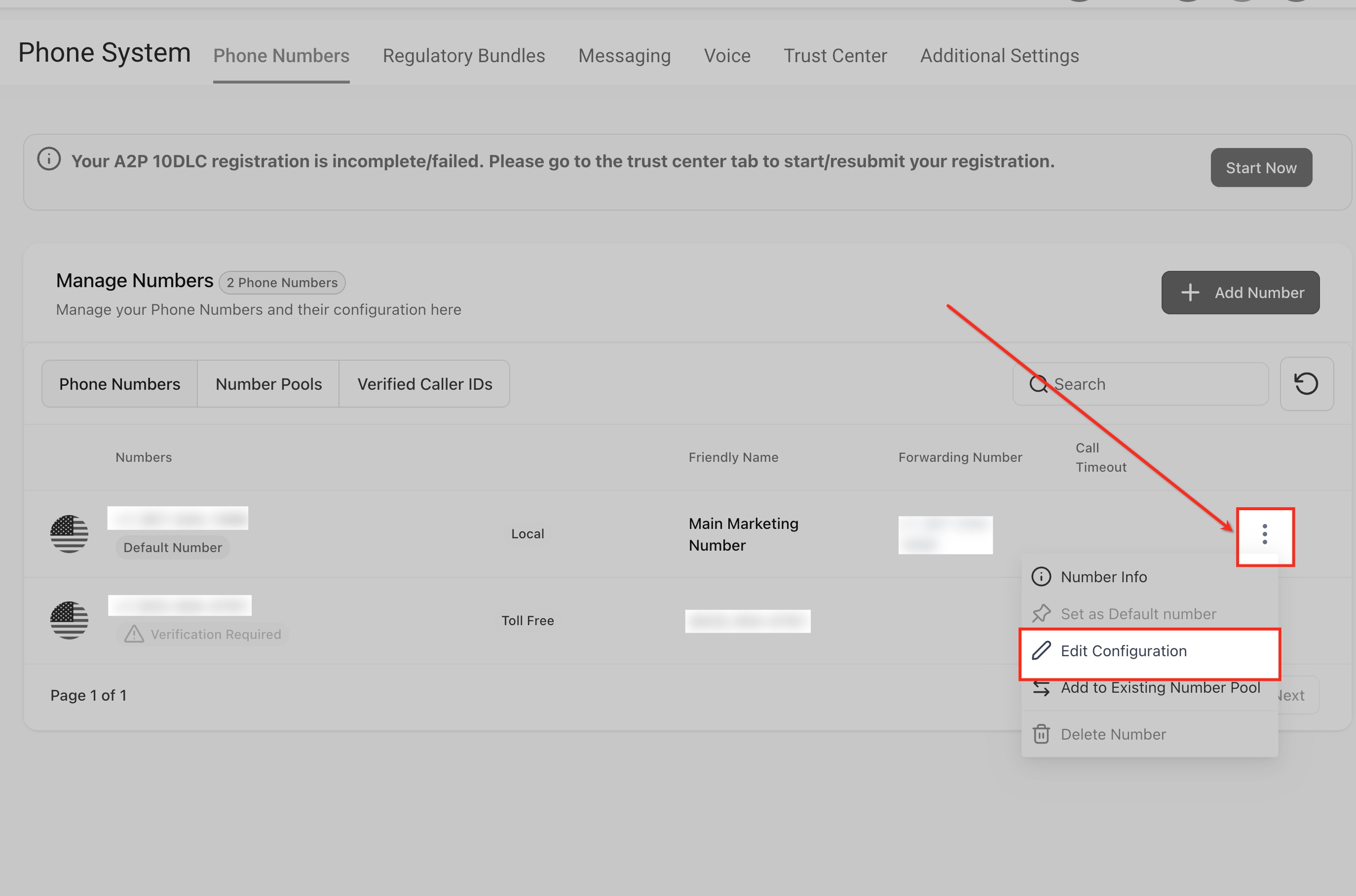
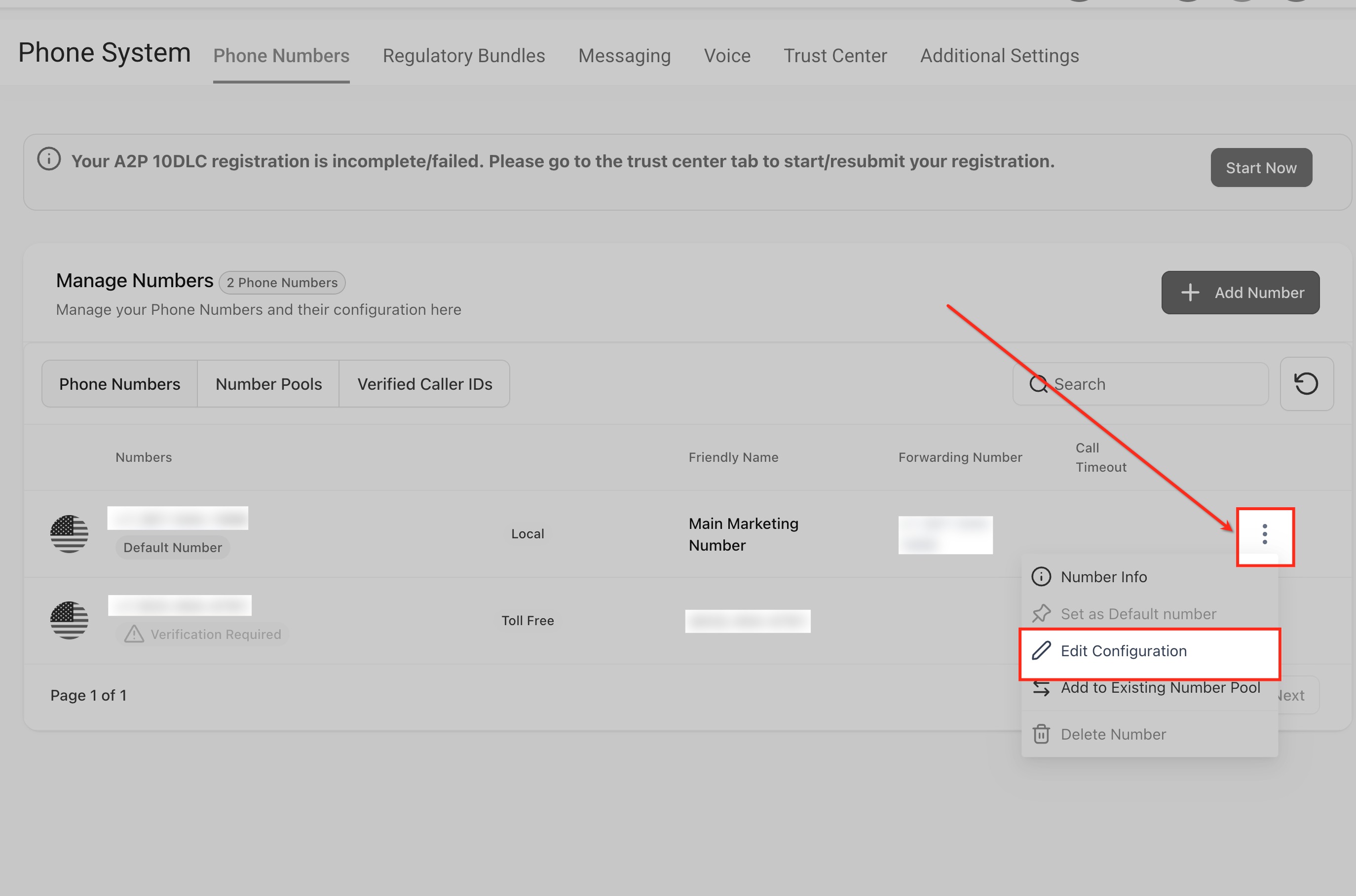
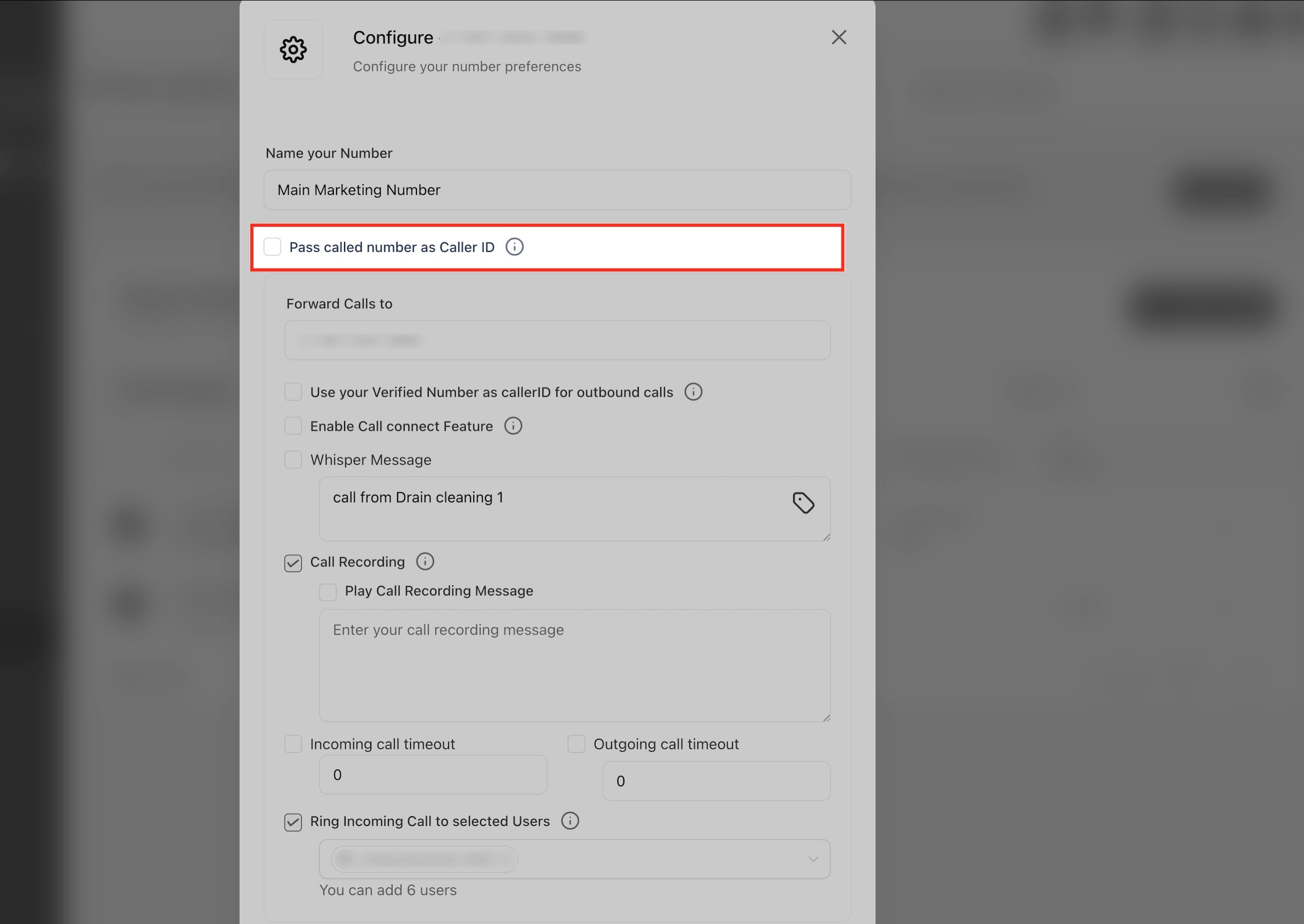
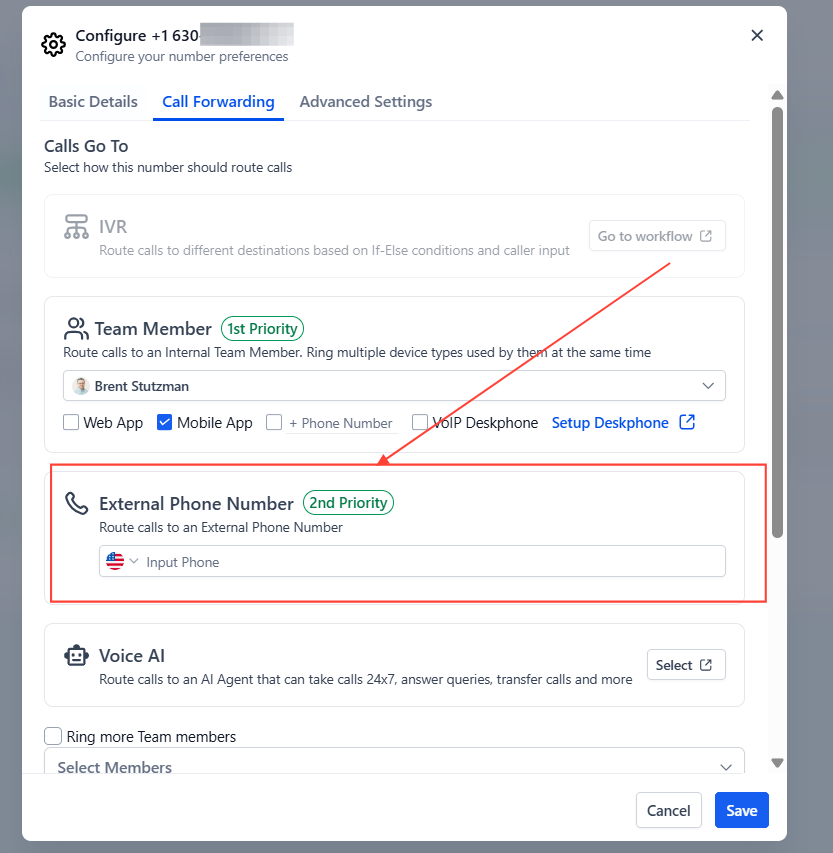
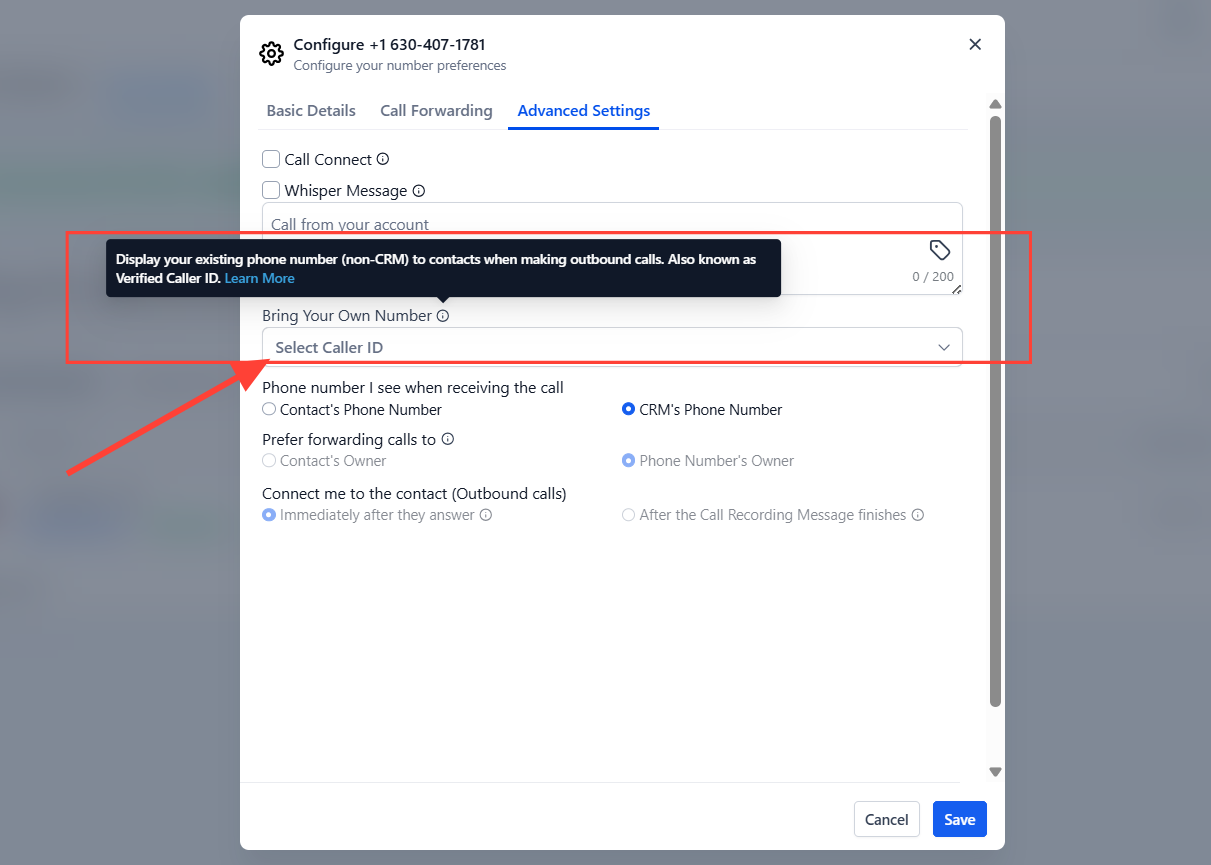
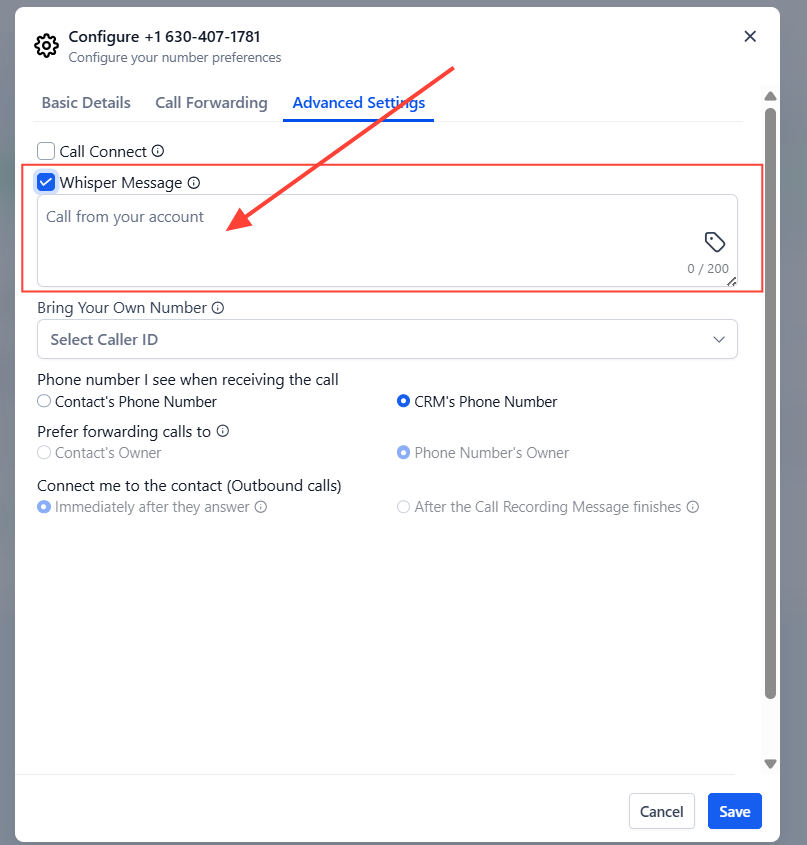
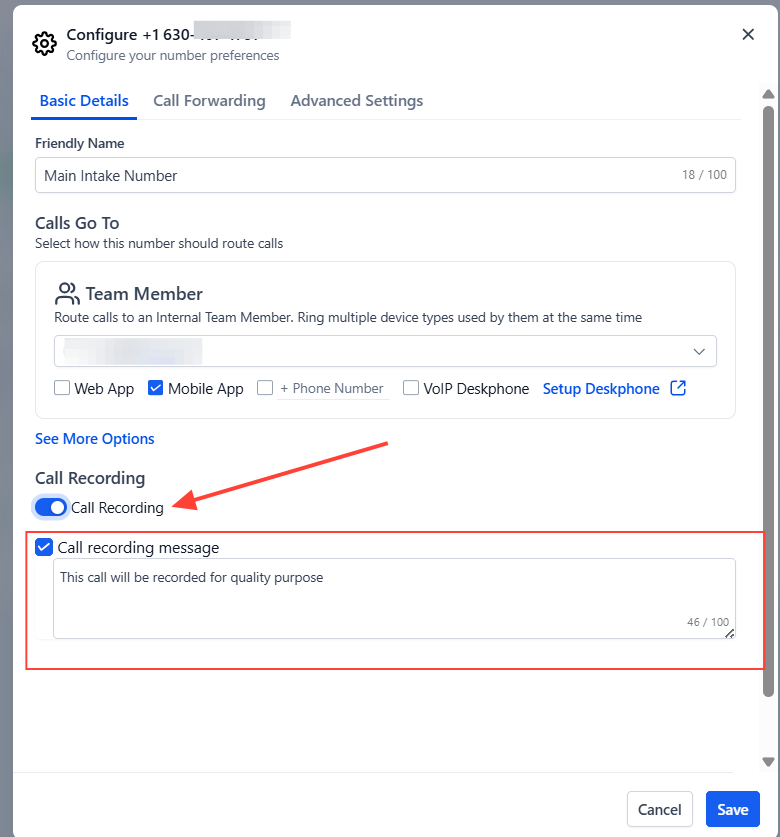
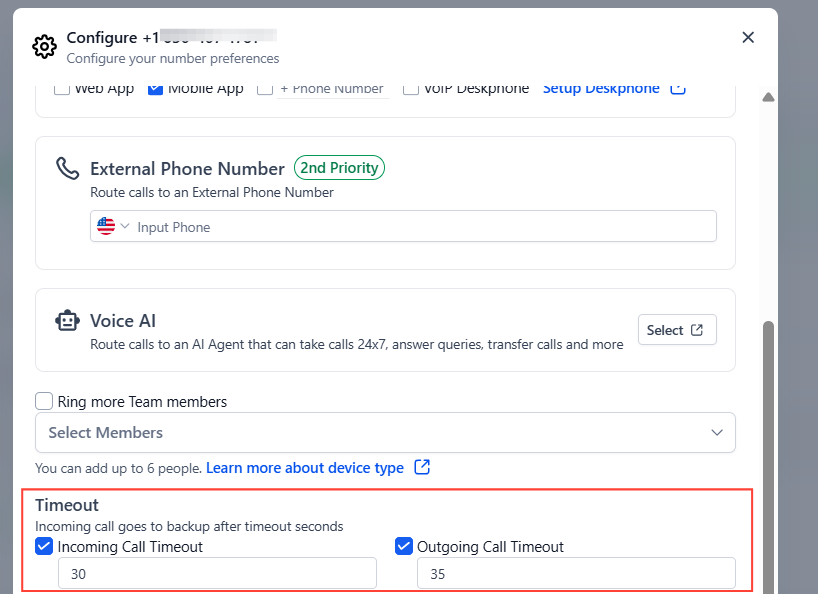
Complete your phone setup checklist — number naming, forwarding, timeout, and a test call — before going live with clients to avoid any gaps in routing.
If calls still fail to route correctly after completing all configuration steps, contact support with your TheraSaaS number and details on whether the issue is inbound, outbound, or both.
Was this article helpful?
That’s Great!
Thank you for your feedback
Sorry! We couldn't be helpful
Thank you for your feedback
Feedback sent
We appreciate your effort and will try to fix the article